
New release: sklera 4.6.1
More performance and a new foundation
Release 4.6.1 represents a major milestone for sklera. As noted in previous release notes there's been ongoing work 'under the hood' to improve and modernize our systems. This legwork in previous releases laid down the foundations to fundamentally modernize the core of the sklera CMS and give it a bit of a refresh.
The first thing our users will notice is the much improved performance and responsiveness – everything should feel much snappier now. And thanks to the new technical foundation we finally could implement a plan we had set our sights on for a long time: a completely new Composer!
This highlight aside we continued to improve on other aspects such as bringing a recycle bin to our library, as well as adding support for new device types: the Hisense GE series, as well as BrightSign Digital Signage devices.
A new Composer
Just so you know: nothing's going to change for you right now. Our venerable Composer remains the default option and can be used normally. The new Composer in 4.6.1 is optional.
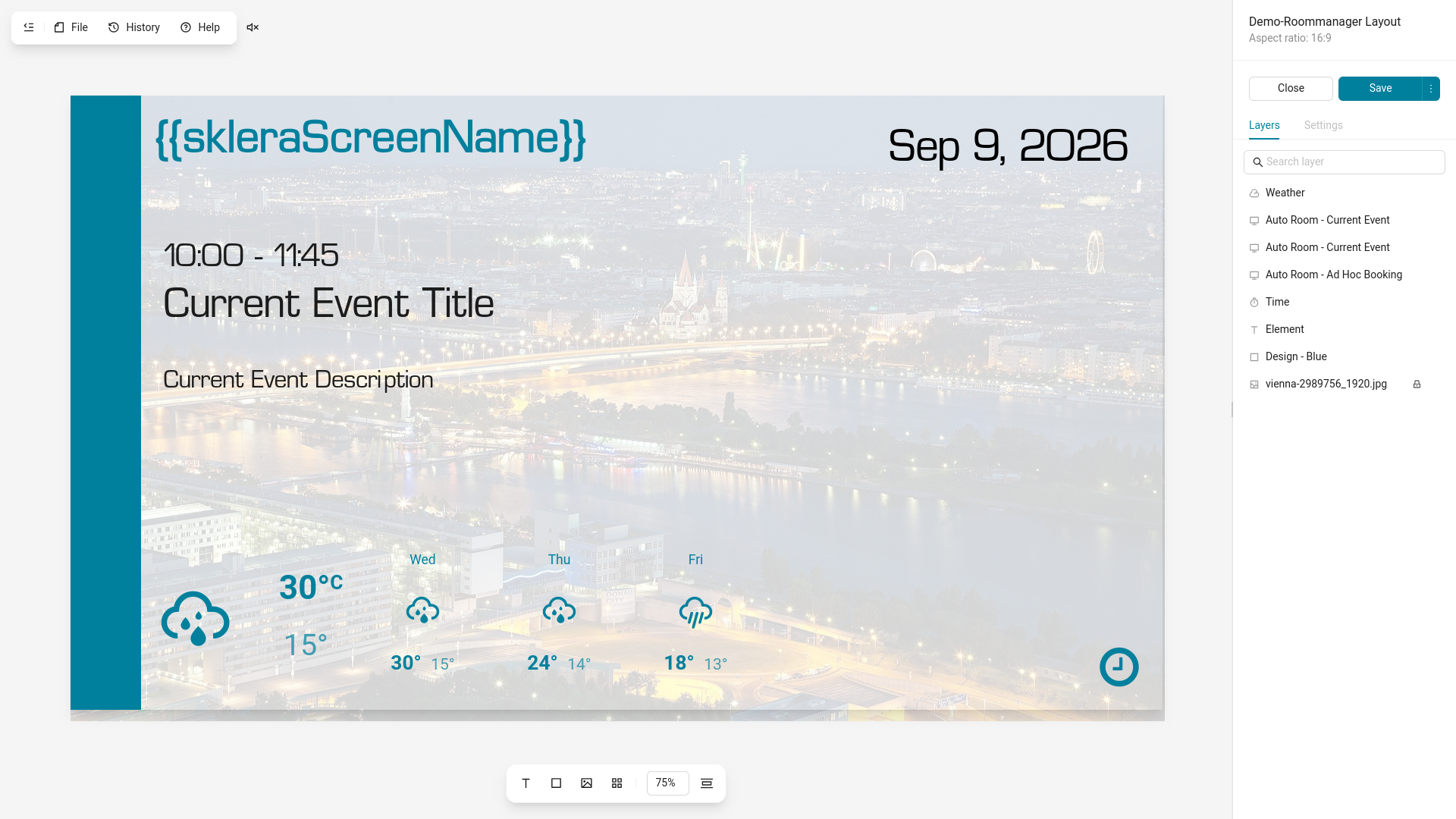
We wanted to give our users the opportunity to take a look at the new Composer – a Composer featuring all the powerful functionality of our current one, but with many quality of life improvements that we think you'll appreciate. Zooming into the Canvas, guiding lines, grouping of layers and many more features were added. And users using touch actions to create interactive applications will be happy to hear that we added a view to visualize the connections between layouts!
But there's so much more we can't cover in here – so why don't you take a look at the page where we go into more detail on the new Composer!
BrightSign support
In parallel to many of the improvements to the sklera CMS we've naturally put work into supporting more devices – resulting in official sklera support for BrightSign Digital Signage Players.
The sklera player app runs in the BrightSignOS™ environment and benefits from the security and performance advantages this grants. You'll also be able to manage your devices in BrightSign Control while planning your content in the familiar sklera CMS.
Adding a Recycle Bin to the Library
It happens – sometimes you just were distracted and accidentally deleted a video from your library which was still running on your screens. Which meant re-uploading the video to the library – but now you'll find a new recycle bin near the sorting options in the library.
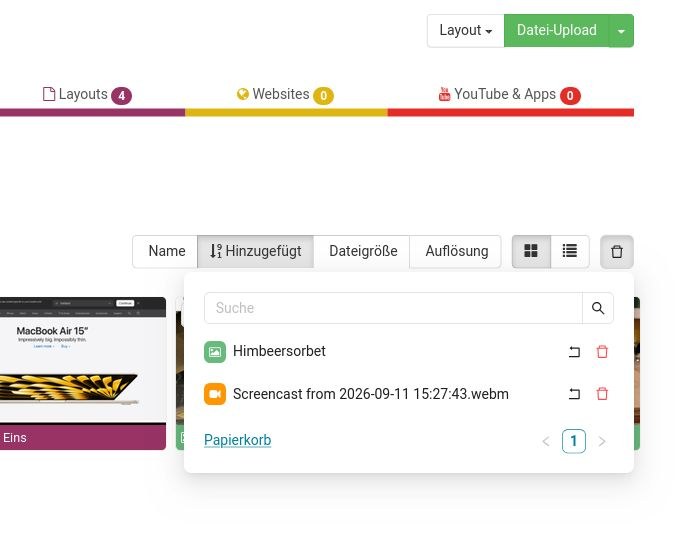
Clicking on it will show you the most recently deleted items – and you'll be able to either restore or permanently delete items here. To reduce clutter this dropdown only shows any deleted items from the folder you're currently in – but also offers you a link to show all deleted items for the entire library.
This change also enabled us to extend the proof of play reports. Previously you could not filter a report by items which had been deleted, and the only way to access that data was to pull a general report for the time range you wanted and manually filter it in Excel. Now you can select deleted items as well, and natively filter down the proof of play reports to items as usual. Deleted items are available up to one year after deletion.
More new features & fixes in 4.6.1
Tweaks & new features in 4.6.1
- New hardware support for Hisense DM-GE series and Sony BZP series displays
- Automated reports have been improved – you can now generate reports for custom time ranges (in addition to the existing validity times, daily, weekly, monthly based reports). We also added a summarized variant of the report which limits the information to the core metrics of playback.
- The item picker in the Composer and Playlist editors now remembers the last folder you opened in it and immediately shows it upon reopening the item picker.
- Players starting with version 4.6-5 have improved connection issue detection with the proof of play logger and will now warn you if there are logging issues detected. The player will also retain and attempt to resubmit playback logs for longer.
Bugfixes in 4.6.1
- Room Manager iCal calendar: Further Bug fixes related to the Groupwise iCal Format
- Playlist spots with dynamic display duration now work correctly inside Playlist Widgets in Screen Layouts.
- A number of smaller bugfixes related to copying of layouts and master layouts with touch actions.
digital signage made easy