A modernized Composer for sklera
Layer groups, 500% zoom, an animation timeline and drag & drop upload of media: the new Composer enables you to create layouts faster and more precisely – and keep track of things more easily.
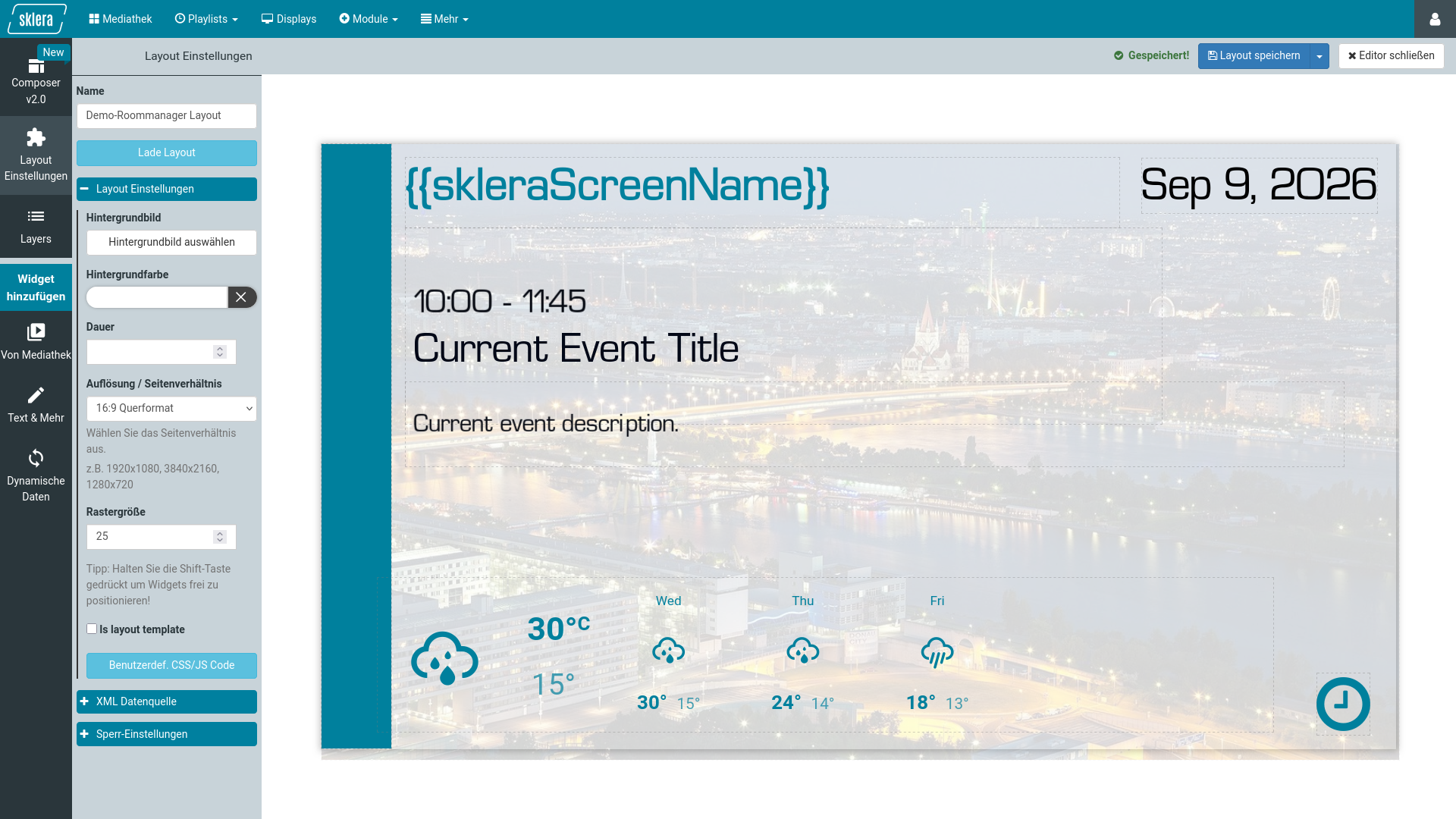
Ever since sklera was launched to the public about ten years ago we've been busy continuously adding new functionality to the entire system – turning it into an ever more powerful tool to bring your content to your screens.
Our proven Composer has been part of this toolbox for almost the entire time – which means it was high time for a refresh.
Anyone who followed our recent release postings will have noticed us mentioning work going on under the hood in an effort to upgrade and adjust our back end to more modern standards.
One of the main benefits – a faster, more reactive user interface aside – was that this laid the groundwork for completely rebuilding our Composer.
Just that you know: your existing layouts will remain unaffected and compatible with your sklera players.
Moving your current layouts over to the new Composer is as simple as it gets: open your layout, go to the new Composer, adjust your content in there if needed, and save it – that's it.
As of sklera 4.6.1 using the new Composer is completely optional. We consider it a preview of things to come and will work to adjust and improve it in the coming months. We'll be happy to hear your feedback on the experience – and for the time being the familiar Composer will remain available in parallel.
The new Composer
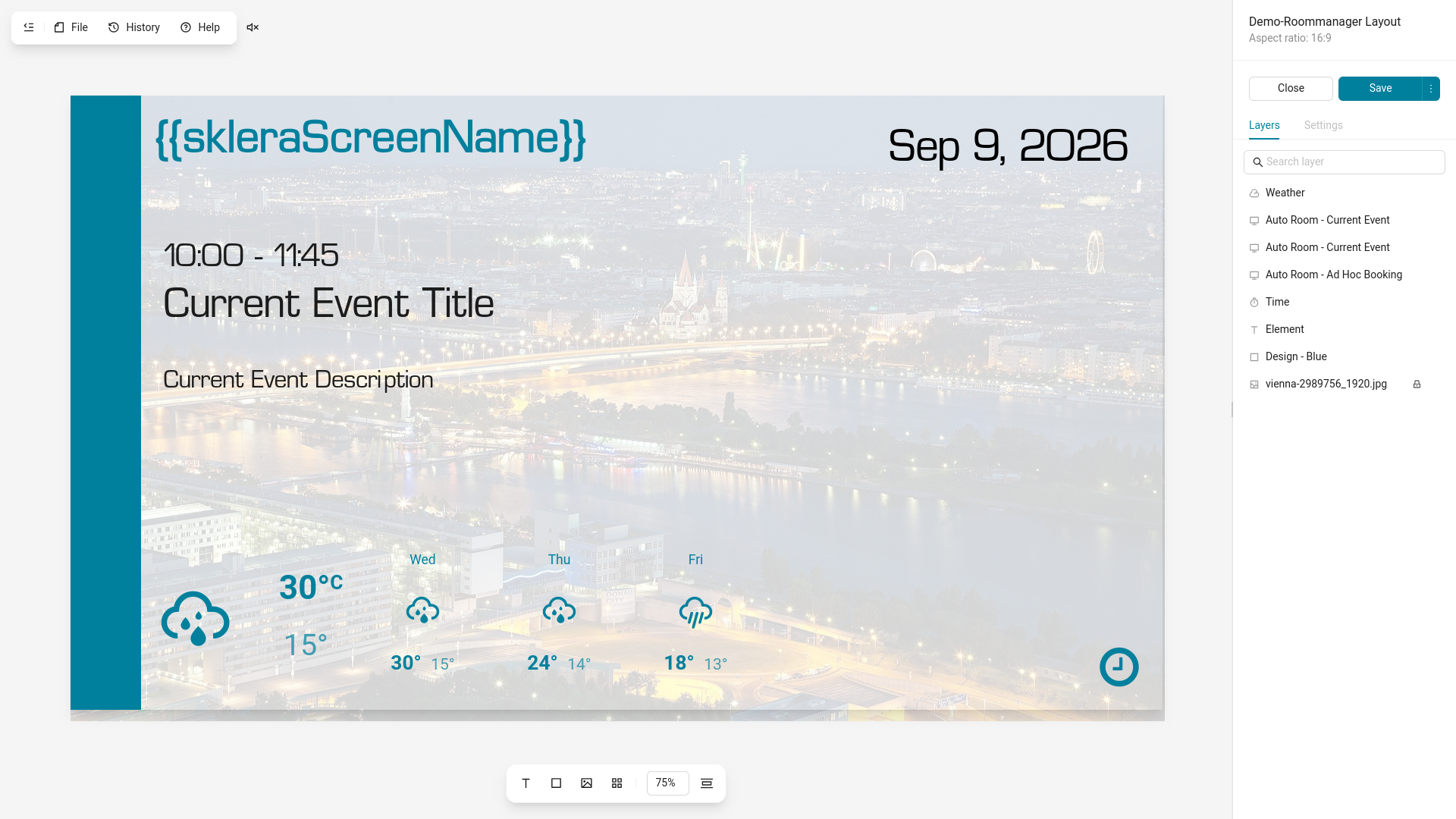
We've put a lot of thought into cleaning up and reorganizing the Composer's functions, based on feedback. We've also added plenty of new stuff – but more further on.
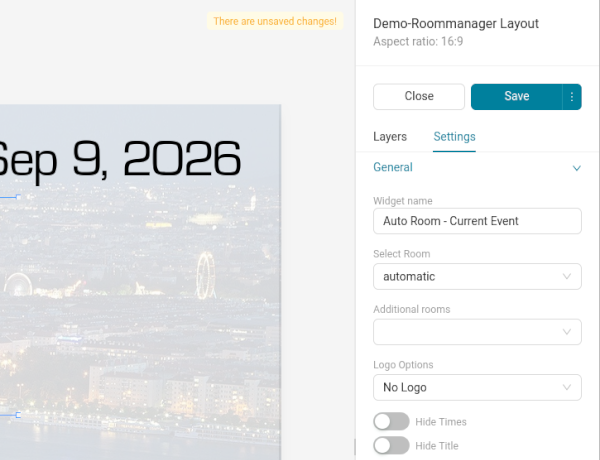
Everything's different – on the first glance. But you'll quickly find familiar elements.
The settings for selected widgets, the overview and management of your layers, and the layout settings are still found in the sidebar which has moved to the right. You'll also still find Saving and Previewing the Layout here.
Experienced sklera users will immediately notice something – the widget selection is gone from the sidebar. We moved this to the bottom of the screen, near the layout canvas, close to where the work is being done:
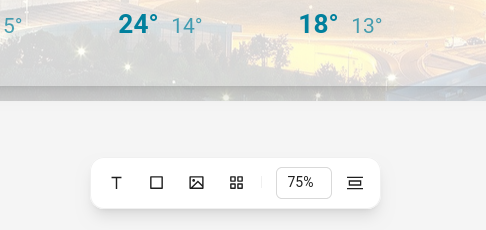
Basic text widgets, boxes, and items from the library can be added directly via the toolbar. All other widgets – e.g. icons, clocks, room manager widgets – are found in the fourth button, opening into a menu on a click:
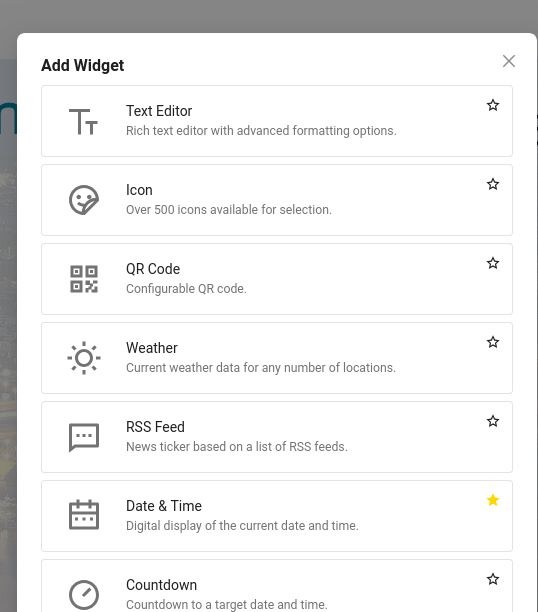
Here one of the refinements becomes apparent: Not every user will need every widget – so we enabled you to favorite frequently used widget types by clicking on the star besides it. Widgets favorited like this appear in the toolbar as quick access buttons:
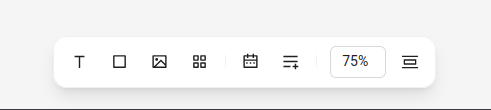
This way you'll have your frequently needed widgets available to you at any time, without having to hunt for them in a menu.
Also, did you notice the percentage to the right? That's the second big addition to the Composer: the ability to zoom.
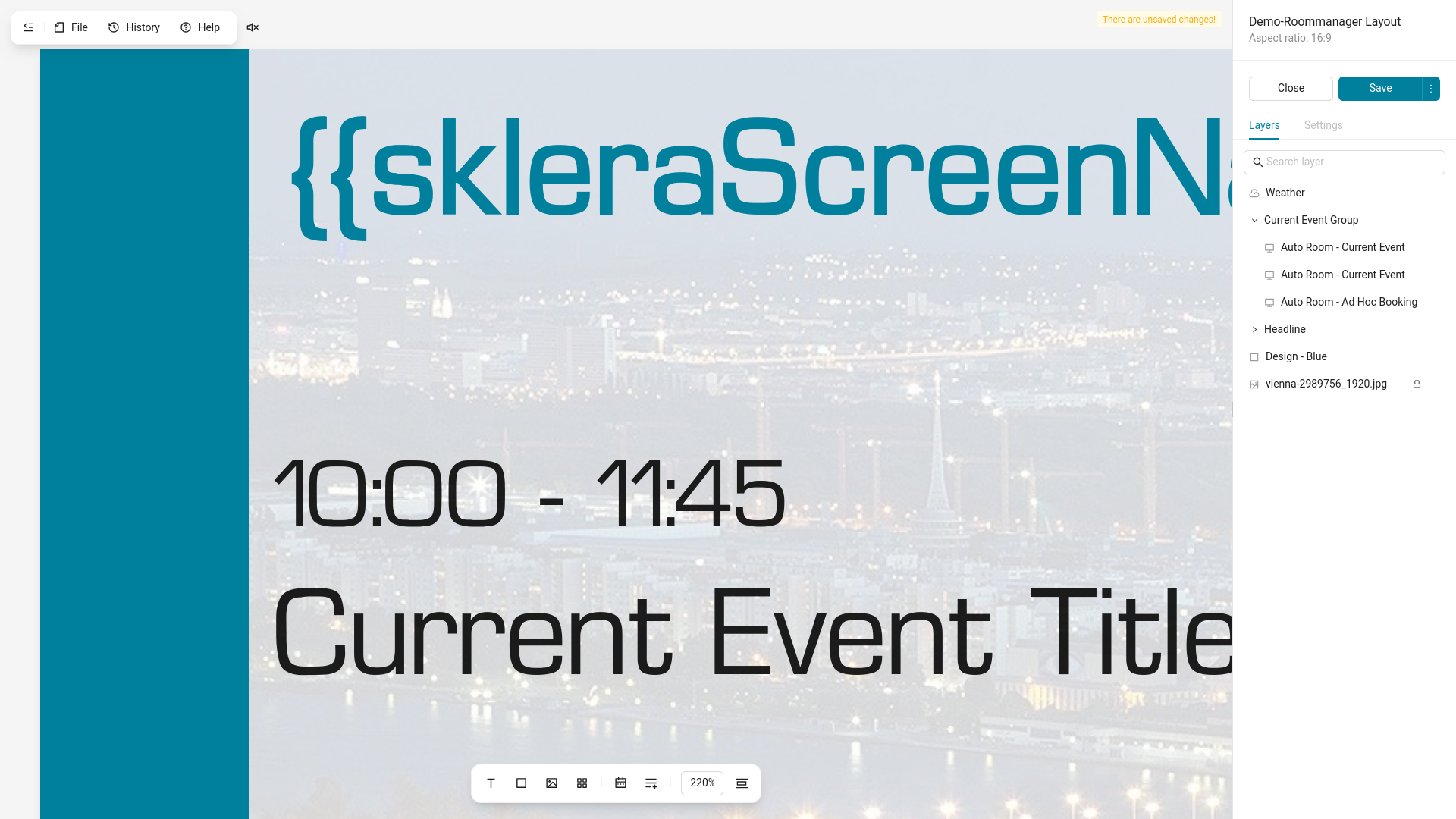
The Composer's canvas automatically zooms to fit your browser window – but you can now seamlessly zoom it up to 500%. The visible work area can be easily panned by pressing and holding the space bar and dragging the view with your mouse. This enables you to do precise work – or keep to the big picture.
More additions to the new Composer
We weren't satisfied to just replicate the functions of our tried and true Composer. We've put our heads together and came up with a bunch of new quality of life functionality.
Layer Groups
Anyone who is familiar with tools like Figma, Canva, or Photoshop will know about and use the ability to organize layers in groups. sklera's new Composer now supports Layer Groups as well:
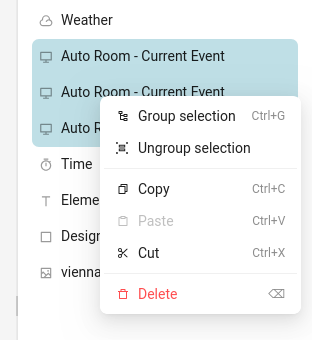
Layer Groups can be moved, edited and shown/hidden as a unit, and can be collapsed in the sidebar's layer list to reduce clutter.
Copy & Paste between two open editors
If you have two different layouts open in separate tabs or browser windows you can now easily copy and paste widgets and their settings between them. Sometimes this is just quicker than using templates or linking a Master Layout.
Drag & Drop upload of content from within the Composer
Supported Images, Videos, and Documents can now be simply placed on the canvas from your PC via drag & drop. Your media will automatically upload to the library in the background and it'll appear in your layout ready for immediate use. Never close the editor again just because you forgot to upload some essential image!
Shortcuts for Power Users
We've added a lot of of keyboard shortcuts, ranging from the venerated Ctrl+S for quickly saving the layout to quickly additionally launching the preview with Ctrl+Shift+S – and many more. A complete overview of available shortcuts can be found in the Composer's integrated help in the menu bar.
Visualizing Touch Interactions
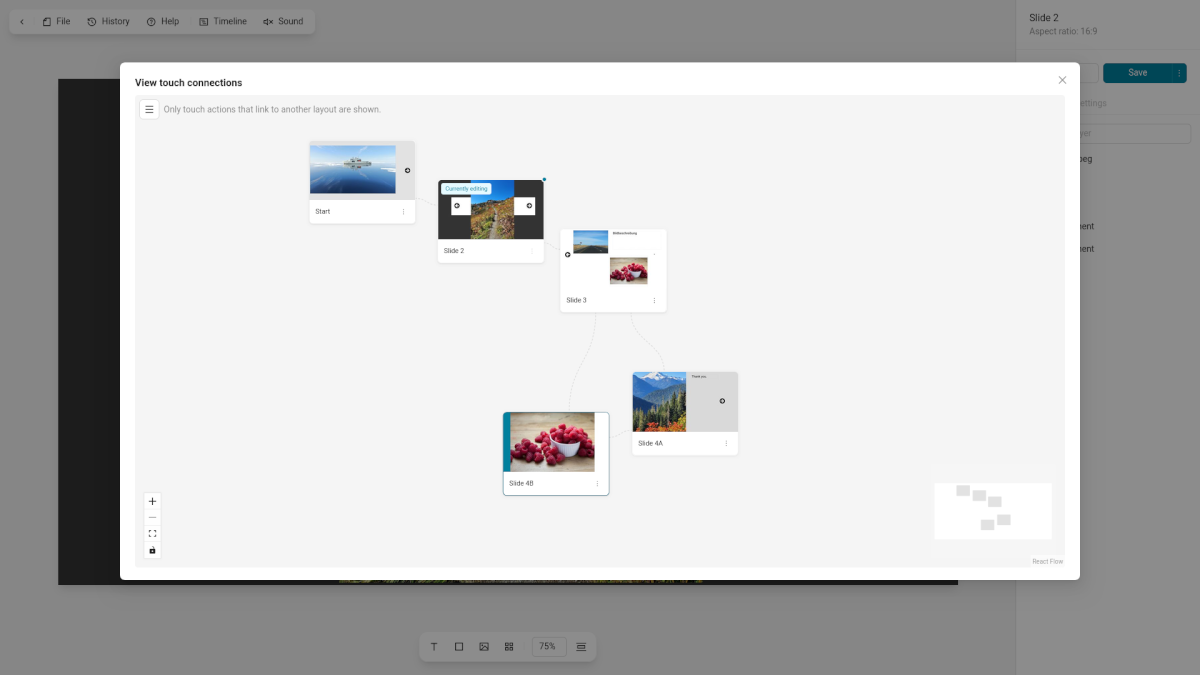
The sklera Composer is also used to design layouts for interactive displays by placing touch actions on widgets – such as showing a library item or another layout when touching a widget. This can be used to create interactive slideshows or simple interactive apps and information systems. But the more layouts are involved, the harder it is to keep track how everything is interconnected – and it makes troubleshooting issues hard.
That's why we added a new view to the Composer, accessible via the File menu in the top bar, to visualize the touch connections between the current layout and all other layouts up and down its chain. This way you can immediately spot any issues with incorrectly linked layouts.
Animation timeline
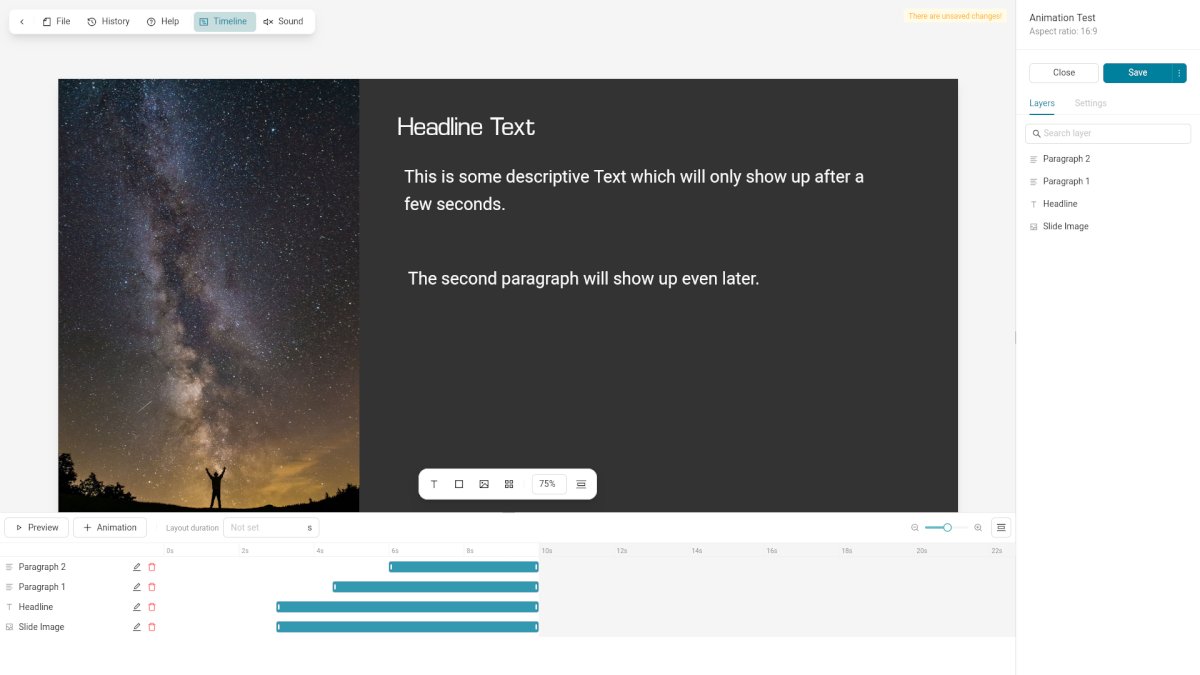
An established function of the Composer is to fade widgets in and out within the current layout – not unlike a PowerPoint presentation. This could be a hassle to coordinate effectively, since you had to select every individual widget and keep track of the timing you input yourself.
The new animation timeline aims to solve that problem and is accessible by clicking the button in the menu bar. The timeline view shows you the widgets which have animations applied to them, when they start and when they end – and crucially there's a preview function that plays all the animations as configured, without you having to save the layout and launch its preview.
All Layout related functions centralized
Aside from the visualization of the touch actions and the animation timeline all actions affecting the entire layout – such as loading templates and linking Master Layouts – as well as the layout's version history can be found in the menu bar at the top – away from settings for individual widgets, and separating these actions more clearly.
Available – Now!
The new sklera Composer is immediately available upon release of sklera 4.6.1 in calendar week 39/2026 for all our cloud customers, and usable without any restrictions. Our private cloud customers will subsequently be updated over the coming month and enjoy the much improved Composer from then on!
digital signage made easy